


Download My Search Word – word search, puzzle game, brain teaser, vocabulary builder, mental exercise
Overview
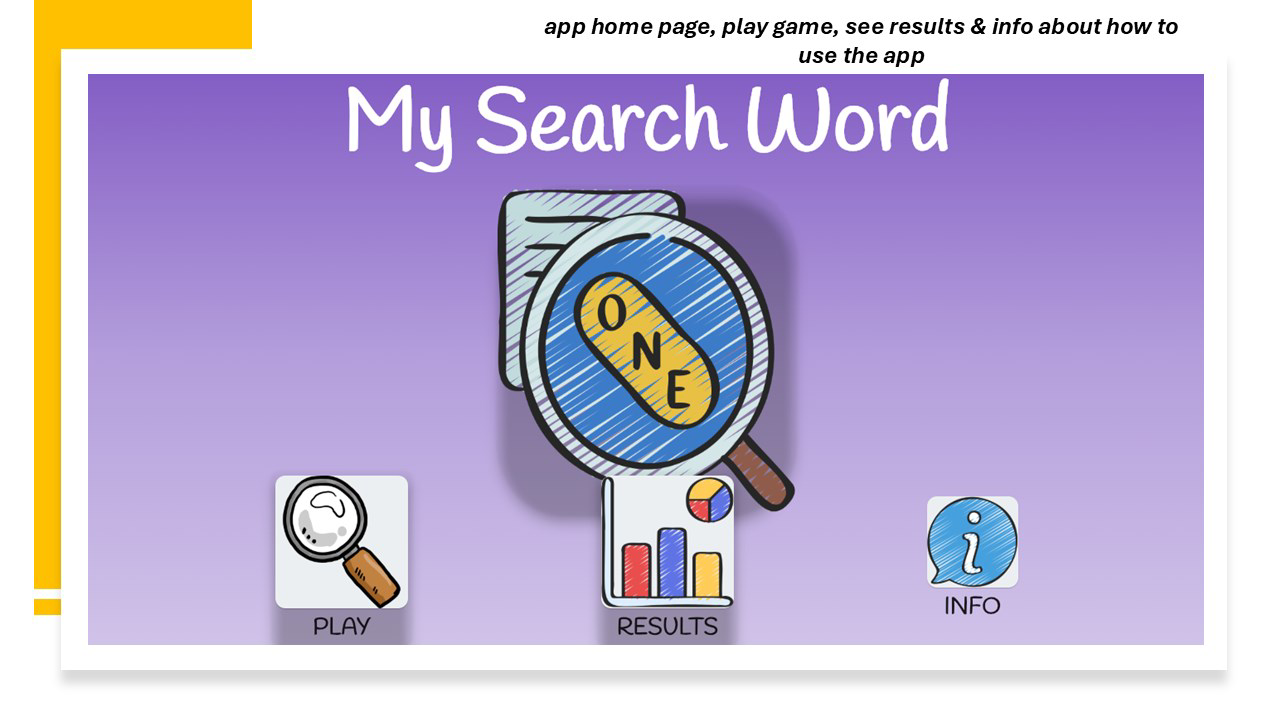
My Search Word is a mobile word search game crafted to engage users in a stimulating blend of entertainment and cognitive development. Designed by Jason K. Menard, the app targets individuals seeking a mentally enriching pastime that doubles as a vocabulary builder and brain teaser. The game revolves around uncovering hidden words within a grid, offering a straightforward yet immersive experience suitable for casual players and dedicated puzzle enthusiasts alike. It serves as a tool for mental exercise, helping users enhance pattern recognition, focus, and word recall through consistent play. The app is particularly well-suited for users who enjoy puzzle-based challenges and wish to improve their language skills in a low-pressure environment. Real-world applications include daily mental warm-ups, educational support for students, and recreational engagement for adults. As part of the growing category of productivity-focused games, My Search Word contributes to the mobile ecosystem by promoting cognitive wellness through accessible gameplay. The developer did not provide additional technical details regarding the app’s development philosophy or target demographics beyond its core functionality.
Key Features & Functionality
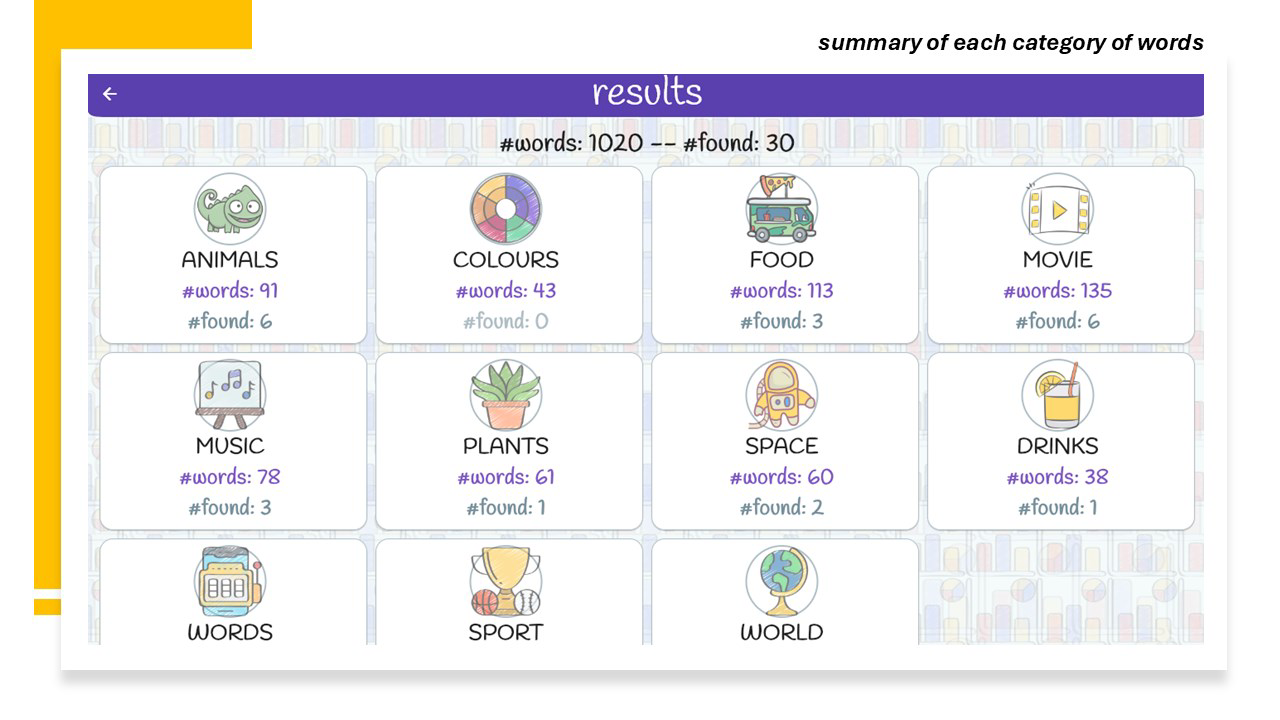
- Extensive Word Database: The app features over 1,000 words distributed across eleven distinct categories, ensuring a diverse and evolving experience. Each category is designed to appeal to different interests, from nature and science to pop culture and technology, enabling players to explore topics they find engaging while sharpening their word recognition skills.
- User-Friendly Interface: With a clean, intuitive layout, My Search Word allows immediate access to gameplay without requiring tutorials or complex instructions. The design prioritizes clarity and ease of navigation, making it accessible to users of all ages, including younger players and those less familiar with digital games.
- Interactive Gameplay: Players use a simple clicking mechanic to highlight words within the grid. This tactile interaction enhances immersion and provides a satisfying feedback loop, reinforcing the sense of accomplishment with each word found.
- Results Tracking: The built-in results feature enables users to monitor their progress over time. By reviewing completed games, players can assess their speed, accuracy, and improvement, fostering motivation and encouraging repeated engagement.
- Challenging and Fun Design: The game balances difficulty across categories, offering both quick, casual sessions and more demanding puzzles that require deeper concentration. This dynamic structure supports long-term user retention by adapting to varying skill levels.
Interface, UX & Performance
The interface of My Search Word is designed with simplicity and clarity in mind. The grid layout is well-structured, with clear separation between word lists and the main playing field. Navigation is intuitive, allowing users to switch between categories and access results with minimal taps. The visual style emphasizes readability, using contrasting colors and legible fonts to ensure text is easily identifiable. Although the developer did not list formal performance metrics, the app’s lightweight size of 24.3 MB suggests optimized resource usage, which likely contributes to smooth operation across a range of Android devices. Responsiveness appears consistent, with minimal lag during gameplay and quick transitions between screens. Stability is maintained through straightforward mechanics, reducing the likelihood of crashes or freezes. The app’s performance on older or mid-tier devices has not been publicly documented, but its efficient design suggests broad compatibility. Overall, the user experience is polished and focused on uninterrupted gameplay, aligning with modern standards for mobile puzzle applications.
Platform Compatibility & Technical Requirements
My Search Word is available exclusively on the Android platform. The current version is 1.0.0, with a file size of 24.3 MB, indicating a lightweight installation that does not burden device storage. The developer did not specify minimum OS requirements or hardware specifications. Compatibility information was not fully disclosed, so users should ensure their device meets standard Android compatibility for apps of this size and type. The app is currently offered at no cost, making it accessible to a wide audience. The release date of November 11, 2024, marks its debut in the mobile gaming market. Users should be aware that updates may be released to improve functionality, fix bugs, or expand content, though no details about future updates were provided.
Pros and Cons
Pros
- Free to download and use, offering excellent value for a puzzle game.
- Large word database with 11 themed categories for varied gameplay.
- Simple, intuitive interface suitable for all age groups.
- Interactive and satisfying word-hunting mechanics.
- Results tracking helps users monitor progress and improve over time.
Cons
- Specific technical requirements were not listed by the developer.
- Compatibility with older Android versions is not confirmed.
- No mention of offline functionality or cloud sync features.
- Developer did not provide information on update frequency or future content plans.
- Limited details on accessibility features for users with visual or motor impairments.
FAQ
Is My Search Word available for iOS devices?
The app is currently available only on Android. No information was provided about future iOS releases.
Can I play My Search Word offline?
The developer did not specify whether offline play is supported. However, given the app’s lightweight nature and puzzle-based design, it is likely functional without an internet connection.
Are there in-app purchases in My Search Word?
As of now, the app is free to download and use. No in-app purchases were mentioned in the provided details.
How often is My Search Word updated?
The developer did not disclose the update schedule. Future updates may include new word categories or performance improvements.
Is My Search Word safe to download?
Based on the available information, the app is published by Jason K. Menard and is free from known malware. Users should download it from trusted sources to ensure security.
Final Thoughts + CTA
My Search Word stands out as a thoughtfully designed puzzle game that successfully blends fun with mental stimulation. Its extensive word database, user-friendly interface, and performance tracking make it a valuable tool for anyone looking to improve vocabulary, focus, and cognitive agility. The app’s accessibility, combined with its free price point, makes it an attractive option for casual gamers and educators alike. While some technical details remain unspecified, the overall experience is polished and engaging. For users seeking a reliable, low-friction brain teaser that encourages daily mental exercise, My Search Word delivers on its promise. Download My Search Word now and start your journey toward sharper thinking—one word at a time.


